
Tenant File 1099 Program - Create forms and reports for your Owners and Vendors! NOW WITH EXPORT CAPABILITIES for e-Filing - An IRS REQUIREMENT for 10 or more forms!
* The Tenant File 1099 Program is $69.95 for DESKTOP USERS and $39.95 for VIRTUAL SERVER USERS. For both MISC and NEC forms.
The 1099 Program prints on the required IRS forms (purchased separately) and creates reports for Owners (1099-MISC) or Vendors (1099-NEC). The information is gathered between any two dates in the current tax year from your existing information. You can even export your data to a CSV (comma separated value) file for e-filing (required for over 10 forms) your information though a 3rd party.
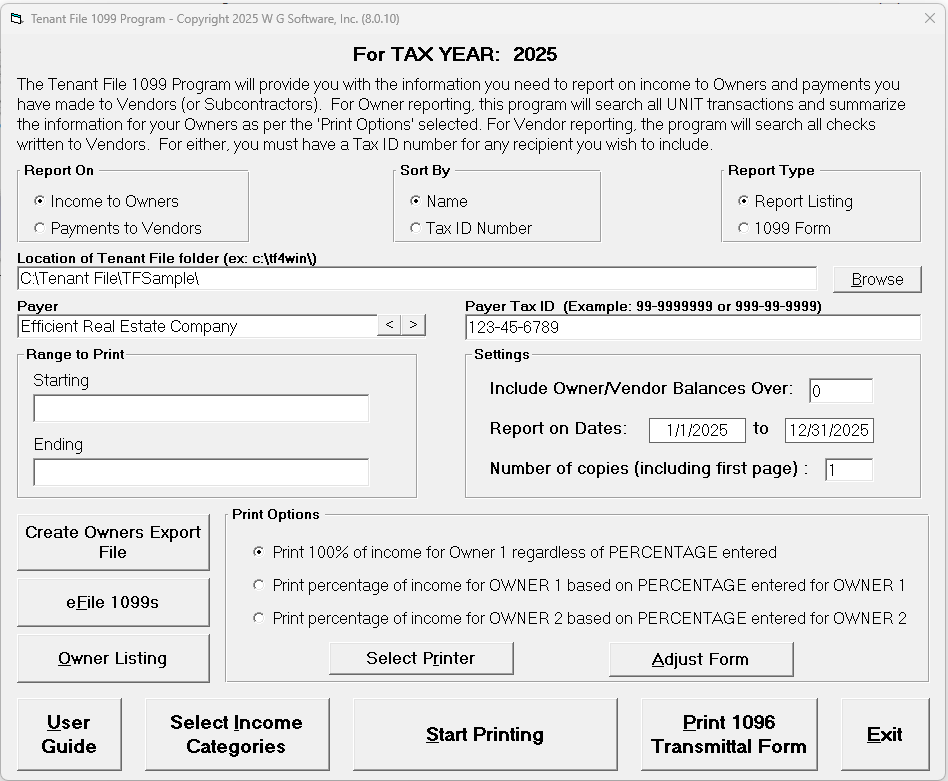
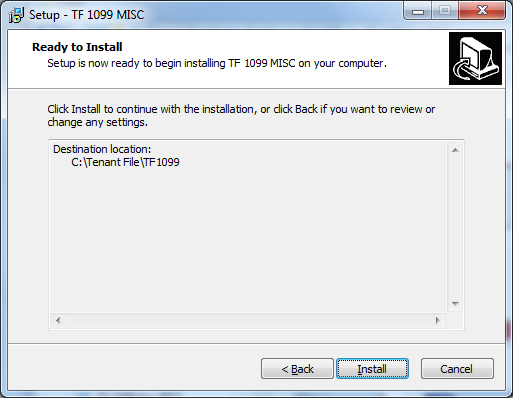
The main screen gathers all of the information needed to create your forms. Just browse to the location of your Tenant File database, and fill in the information on the screen. A second screen under the 'Select Income Categories' button lets you select the Income Accounts you want to use.
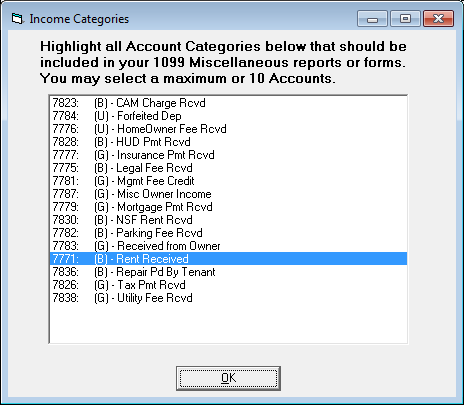
This screen lets you choose the Tenant File accounts used to create your forms.
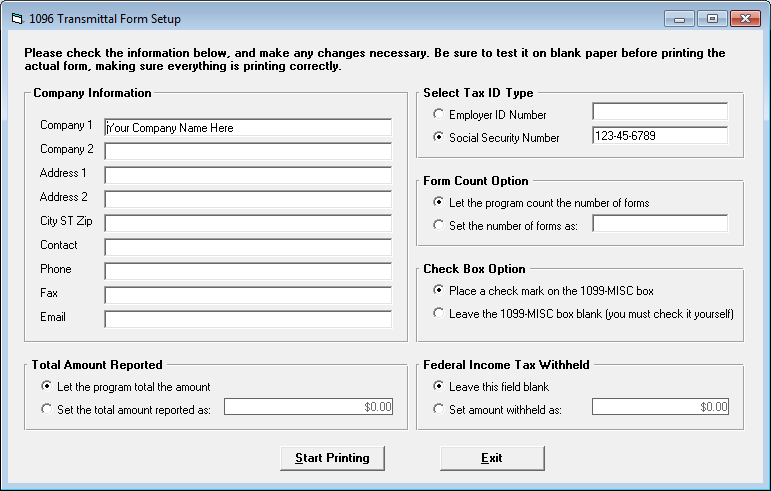
The transmittal form prints a summary of either your Owner or Vendor 1099 Forms. You can enter the data yourself if you wish.
Troubleshooting tips for the Tenant File 1099 Program:
Get the right location of your data:
DESKTOP ONLY - Right-click on the Tenant File shortcut on your desktop, then select 'Properties'. Look at the 'Start in' field. That is the 'location' of your current Tenant File (ignore the quotation marks).
Not bringing in data:
DESKTOP ONLY - Right-click on the Tenant File shortcut on your desktop, then select 'Properties'. Look at the 'Start in' field. That is the 'location' of your current Tenant File (ignore the quotation marks).
Not bringing in data:
- Erase any entries under the 'Range to Print' and let the Tenant File enter '(first)' and '(last)'. Don't type it yourself unless you are looking for a specific name!
- Make sure the 'Report on Dates' are for the year you need to report on.
- Make sure the 'Include Owner/Vendor Balances Over' field entry is either '0' (zero) or a valid whole number.
- Make sure the 'Report On' selection is 'Income to Owners'.
- Make sure you have chosen a valid income account under the 'Select Income Categories' button.
- Be sure that you have data for that account in the Unit Ledger.
- Make sure all Owners in your main Tenant File program that you need to report income for have their correct 'Tax ID' entered in the main Tenant File.
- Make sure the 'Report On' selection is 'Payments to Vendors'.
- Make sure you have checks written and printed to those Vendors in the Tenant File for the year you are reporting.
- Make sure all Vendors in your main Tenant File program that you created and printed checks to have their correct 'Tax ID' entered in the main Tenant File.
- Use the Adjust Form button on the main screen to lower the print.
- Be sure that you are using the paper size 8 1/2 by 11 only. (not A4 or other settings)
- Adjust the top or bottom margin of your printer.
- Be sure that you don't have any page scaling or fit to page settings on.